2026-11-20
Manage Crypto Payments From Claude or Cursor With MCP
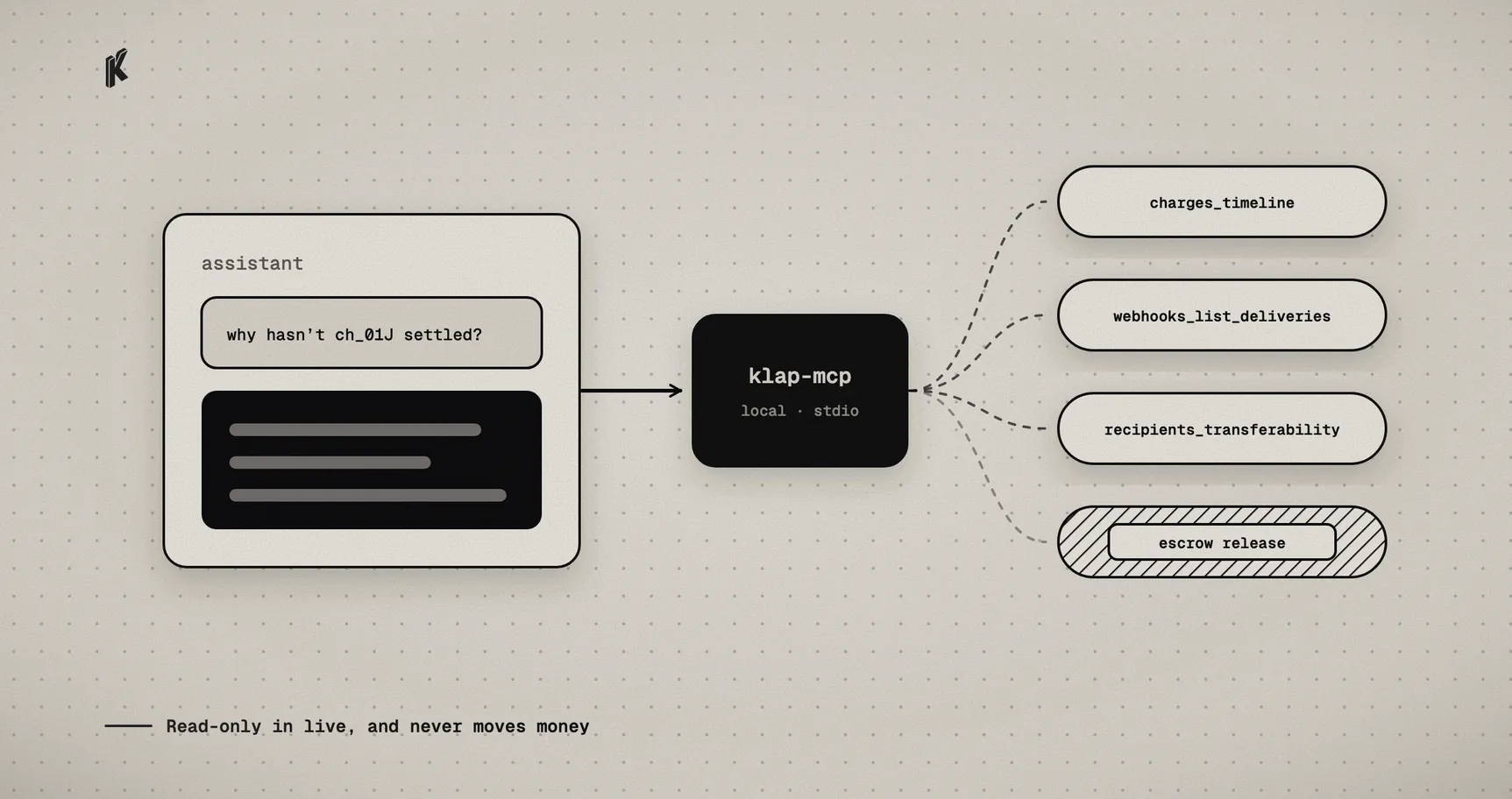
Most payment questions are lookups. Why didn't order 8421 ship? Did the webhook for that charge go out, and what did our server answer? How much did we take on Polygon last week? Each one is a few minutes in a dashboard or a few lines in a script.
They're also the kind of question an AI assistant is good at, if it can reach the data. @klappay/mcp is a Model Context Protocol server that gives an assistant like Claude Code, Claude Desktop or Cursor access to the Klap API, so you can ask those questions in plain language and get answers from your real charges.
Setup
The server runs on your machine. Your MCP client starts it with npx and talks to it over stdio, and it talks straight to the Klap API with your key. Klap doesn't host anything for it, and the key never goes into your MCP client's config file.
It reads the key that the Klap CLI already stored, so setup is two steps. Log in once:
npx @klappay/cli login --api-key - --base-url https://api.klappay.com
Paste the key on stdin and press Ctrl-D, which keeps it out of your shell history. Then add one server per environment. In Claude Code:
claude mcp add klap-test -- npx -y @klappay/mcp@1.2.0claude mcp add klap-live -e KLAP_ENV=live -- npx -y @klappay/mcp@1.2.0
Claude Desktop and Cursor take the same thing as JSON, with npx as the command and KLAP_ENV in env for the live one. Keeping test and live as two separate servers means the assistant always knows which one it's talking to, and you can switch live off without touching test.
Pin the exact version, as above. The server runs with your API key, so upgrade it on purpose and not whenever @latest moves.
What you can ask it
Here's what a few ordinary questions turn into.
"Why hasn't charge ch_01J… settled?" The assistant calls charges_get and charges_timeline and reads you the history: when the transfer was detected and confirmed, and where the payout is now. If the payout is waiting on a recipient whose address a token issuer has frozen, recipients_transferability shows that too. How to check if an address is blacklisted covers what those answers mean.
"Did our webhook for that order get through?" webhooks_list_deliveries returns each delivery with its number of attempts and the status code your server answered. A run of 500s after a deploy is usually obvious once you see them together. In test, the assistant can also retry a delivery with webhooks_retry_delivery.
"How much USDC did we take on Base this month, by week?" metrics_query runs aggregated queries over your charges. The server always fills in its own environment, so a test server can't read live numbers by accident.
"Make me an underpaid test charge." In test mode, charges_create creates the charge and sandbox_trigger pushes it through a payment state: confirmed, underpaid, overpaid, expired or a failed settlement. That's a quick way to watch your webhook handler deal with each case without writing a script for it. How to test crypto payments without real funds has more on what to test.
There are 16 tools in all.
Live is read-only by default
On a live server, everything that changes something is off. The assistant can read, and that's all.
If you want it to create live charges, re-check a charge on-chain or retry a live webhook, you set KLAP_MCP_ALLOW_LIVE_WRITES=1 on the live server. Nothing else turns those on. The sandbox trigger isn't available in live at all, with or without the flag.
What it will never do
Some things aren't in the server in any mode, because they decide where money goes:
- Escrow release and refund. Moving funds out of a non-custodial escrow stays a deliberate human action. The server can show you the Safe transaction a release or refund would run with
charges_prepare_releaseandcharges_prepare_refund, but nothing in it signs or sends that transaction. - Recipient and payout changes. Changing who gets paid isn't something an assistant should do on a prompt.
- Creating, deleting or re-keying webhooks. Pointing your webhooks somewhere else, or rotating a secret, can quietly break or redirect your integration.
Payer-facing features like QR codes are left out too, and so are live event streams, which don't fit a request-and-answer tool.
Filtering what reaches the model
API responses go through the published @klappay/types schemas before they reach the model, and any field the schema doesn't define is dropped. A charge's metadata is free-form, so it may hold customer details, and it's left out unless you ask for it. Recipient labels in recipients_list work the same way.
Errors come back with the same code and status the API returned, so charge_not_found means exactly what it means in your own code. Anything unexpected is reported as an error, and the details go to the server's own log, not to the model.
The startup line the server prints names the environment and the API host, and never the key.
Agents that pay
This is the merchant side of agents and payments: an assistant helping you run payments you already take. It doesn't make Klap a way for agents to pay per request, and how AI agents pay with stablecoins covers the protocols for that and why they're a different shape.
Every tool's inputs and outputs, plus the configuration rules, are documented on mcp.klappay.com. If you're not using an assistant, the same API is in @klappay/node and the klap CLI.