2026-12-03
How to Look Up a USDC or USDT Transaction by Hash
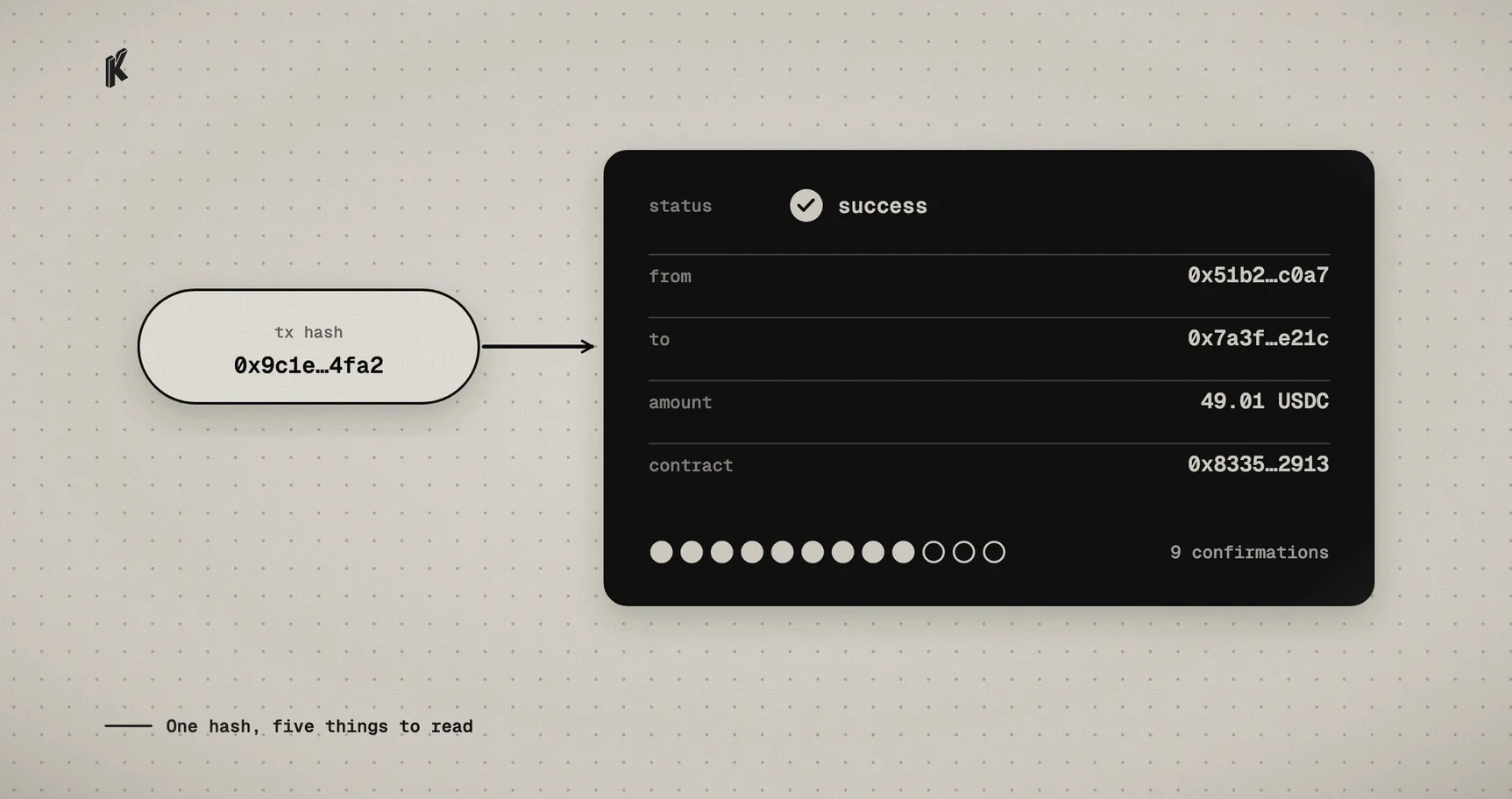
Someone sends you a long string starting with 0x and says "I paid". That string is a transaction hash, and it is enough to find out what happened on-chain, with no account and no API key. What takes a little care is knowing which parts of the page matter, because a block explorer shows a lot and most of it isn't the answer.
This post is about reading the transaction itself. Whether that transaction settles an order is a separate question, and we get to it near the end.
What a hash is
A transaction hash is the fingerprint of one transaction: 0x followed by 64 hexadecimal characters. It identifies that transaction on the network where it ran. The same hash doesn't exist on every chain, so the first thing you need is the network. If the sender doesn't say, you try them in turn, or you let a tool do that for you.
A hash is also not an address. An address is 42 characters (0x plus 40), a hash is 66. Pasting an address into the transaction search is the most common reason a lookup finds nothing.
Where to paste it
Each network has its own explorer, and the transaction lives at /tx/<hash> on it.
| Network | Explorer |
|---|---|
| Ethereum | https://etherscan.io |
| Base | https://basescan.org |
| Optimism | https://optimistic.etherscan.io |
| Arbitrum | https://arbiscan.io |
| Polygon | https://polygonscan.com |
| Avalanche | https://snowtrace.io |
| BNB Chain | https://bscscan.com |
| Arc | https://explorer.arc.io |
So a transaction on Base is https://basescan.org/tx/0x.... If the explorer says it can't find the hash, you're either on the wrong network or the hash is mistyped.
What to read on the page
A stablecoin payment is a call to the token's contract, not a plain transfer of the chain's own coin. That changes where you look. The headline "value" on the page will show 0 ETH, and that is normal. The money is in the token transfer section.
Status. The page says success or failed. A failed transaction was included in a block and its sender still paid gas, but everything it tried to do was reverted. No tokens moved, even when the page shows the transfer it attempted. Only a success counts.
The token transfer. Look for an ERC-20 transfer line, or open the Logs tab and find the Transfer event. It has three values: who the tokens came from, who received them, and the amount. Check the recipient against the address you expected to be paid, character by character, because look-alike addresses exist.
The token contract. This is the step people skip. The explorer shows a token name and a symbol next to the transfer, but both can be copied by anyone. The thing that identifies USDC or USDT is the contract address of the token on that network. Click through to it and compare it with the official address from Circle or Tether, or from our list of official USDC and USDT contract addresses. We go through that in how to spot a fake USDC token.
The amount. The raw value in the log is an integer in the token's smallest unit. For USDC and USDT on most of these networks that's 6 decimals, so 49010000 is 49.01. Both tokens on BNB Chain use 18 decimals, so the same 49.01 there is 49010000000000000000. The explorer does this conversion for you, but if you're reading logs in code it's the first thing to get wrong.
Confirmations. The explorer shows how many blocks came after the one containing the transaction. A transfer in the newest block can still be replaced, while one that's many blocks deep won't be. How many you should wait for depends on the network, and how many confirmations a crypto payment needs goes through each one.
Reading the receipt yourself
Everything above comes from one RPC call, eth_getTransactionReceipt. The explorer is a friendly view of it. If you want the same answer in code, you can ask any node for the receipt and look at its status and logs.
const TRANSFER_TOPIC ='0xddf252ad1be2c89b69c2b068fc378daa952ba7f163c4a11628f55a4df523b3ef'const USDC_BASE = '0x833589fCD6eDb6E08f4c7C32D4f71b54bdA02913'const response = await fetch('https://base-rpc.publicnode.com', {method: 'POST',headers: { 'content-type': 'application/json' },body: JSON.stringify({jsonrpc: '2.0',id: 1,method: 'eth_getTransactionReceipt',params: [hash],}),})const { result: receipt } = await response.json()const transfers = receipt.logs.filter((log) =>log.address.toLowerCase() === USDC_BASE.toLowerCase() &&log.topics[0] === TRANSFER_TOPIC,)
receipt.status is 0x1 for success and 0x0 for a reverted transaction. For each matching log, topics[1] is the sender and topics[2] the recipient, both left-padded to 32 bytes, and data is the amount.
The filter on log.address is the part that matters. Without it, a transaction that emits a Transfer from a token you never heard of would pass the same test. A receipt that returns null means the node doesn't know that hash, either because it's the wrong network or because the transaction isn't included yet.
The faster way
Opening eight explorers to find out which network a hash belongs to gets old. The free stablecoin payment checker does the lookup for you. Paste the hash, and your browser asks public RPC nodes for the receipt on Ethereum, Base, Optimism, Arbitrum, Polygon, Avalanche, BNB Chain and Arc. It lists only the transfers that come from the official USDC or USDT contract on the same network, with the sender, the recipient and the amount, and it flags a transaction that has few confirmations or that failed.
Transfers of other tokens, including look-alikes that copy the name USDC, are left out of the list and counted, so you can see they were in the transaction. If one hash turns up on more than one network, the tool says so, and you need to work out which network the payer meant.
Two limits to know. Public nodes only keep recent history, roughly the last few months on some networks, so an older transaction may not show up, and a network's own explorer is the place for that. And a public node can be slow or down, in which case the tool says it couldn't check that network instead of claiming the hash doesn't exist.
What a transaction doesn't tell you
Everything on that page is something the chain reports. It says tokens moved from one address to another. It doesn't say what the payment was for.
The checker has the same limit. It shows what is observed on-chain, and it doesn't know whether a Klap charge was paid, which order the money belongs to, or whether the amount matches an invoice. A hash that someone sends you is also only a claim about a transaction, since it can point at a real transfer to a different address.
If you're selling something, the match between a transfer and an order belongs on your backend. With Klap that's the signed webhook for the charge, which we cover in how to verify crypto payments. The explorer and the checker are for a person looking at a single transfer, such as a customer who says they paid and you want to see it for yourself.