2027-01-05
How to Sell Limited Stock With a Crypto Payment Link
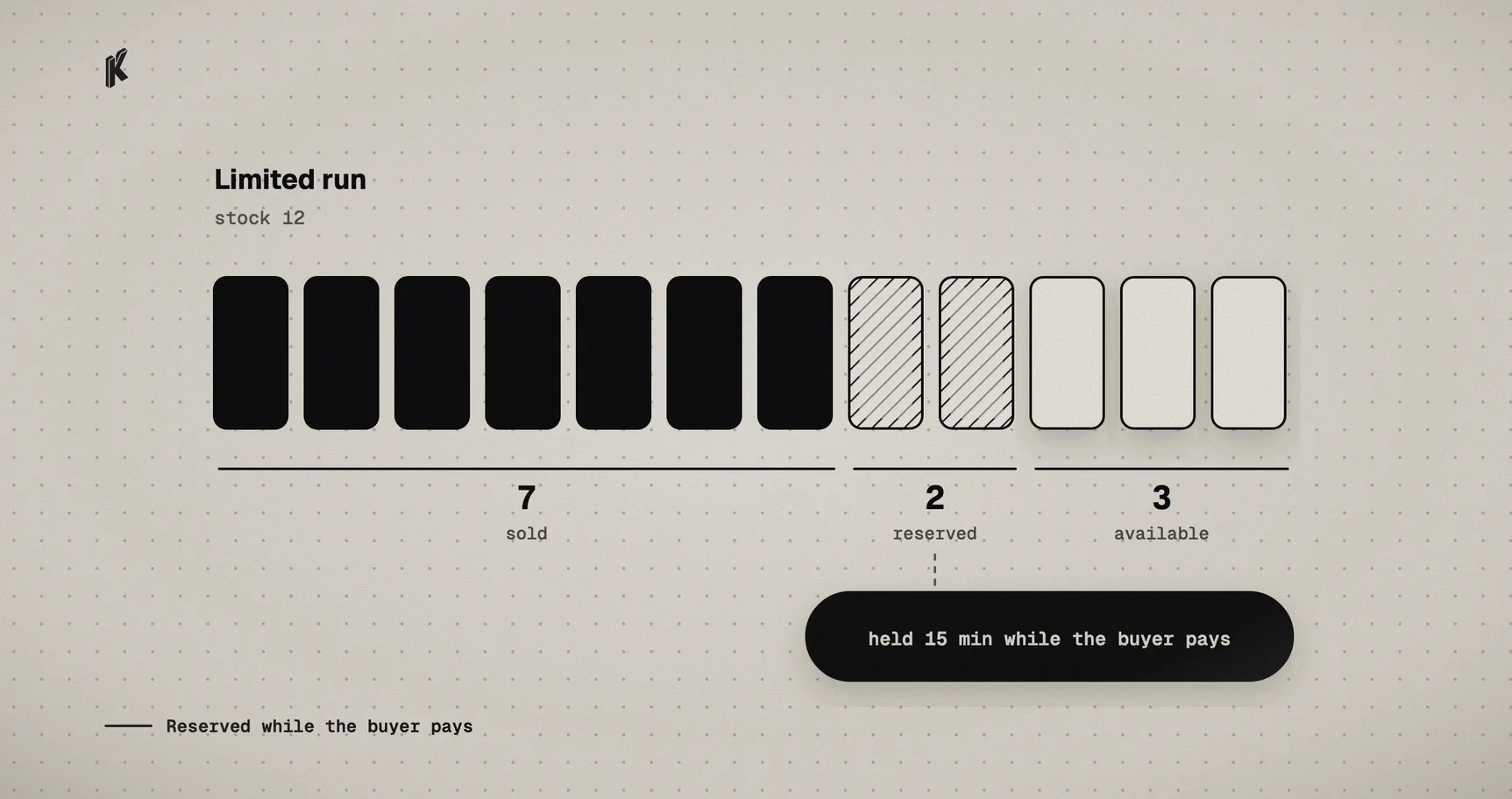
Overselling happens easily when payment takes time. With a card, the charge is approved before the buyer has finished reading the confirmation page. With a stablecoin, the buyer opens their wallet, picks a network, approves the transfer and waits for it to confirm. That's a minute or two in which someone else can open the same page and start paying for the same item.
With unlimited copies, that doesn't matter. If you have 40 seats, 200 copies of a zine or one batch of hoodies, it does. Klap Link handles it with an inventory limit on the link and a short reservation on each unit during payment.
Setting a stock
When you create a link, the Limits section has a Stock field. Leave it blank and the link sells without limit. Enter a number and it sells that many, then stops. On a subscription link the same field caps the number of subscribers instead.
If you sell several products through product pages, each product has its own stock too. Set it when you add the product, or change it later with Edit stock, where you can type a new count of units in stock or tick Unlimited. A buyer who puts more in the cart than you have sees "Only 3 available" before they get to pay.
The Expires option sits next to stock in the same section: never, 24 hours, 7 days or 30 days. Use it for an early-bird promotion or a drop that should close on a date whether or not it sold out.
What happens while someone pays
When a buyer starts a checkout, Klap Link reserves the units they're buying, and since a reserved unit doesn't count as available, the next visitor to the page sees one fewer than the buyer before them did. Nobody else can take it.
The reservation ends one of three ways:
- The buyer pays. The unit moves from reserved to sold.
- The checkout expires. The buyer has 15 minutes to pay. If they close the tab or their wallet runs out of gas, the unit goes back on sale once that time is up.
- The checkout fails to start. The unit is released right away.
On the link's page you see all three numbers side by side: Sold, Reserved (with "Awaiting payment" under it) and Available. The links list shows each link's sales against its stock, like 7/12, which is the quickest way to spot a drop that's almost gone.
There's also a limit on how many open checkouts one visitor can hold at once. Someone who opens the page in a dozen tabs can't take the whole stock off the shelf without paying for it. They see "Too many open payment attempts. Finish or wait a few minutes."
When it sells out
Once every unit is sold, the payment page stops taking orders and shows "This link is no longer available." The link stays in your dashboard with its sales and customers.
How you sell more depends on where the stock lives. A link's own stock is fixed when you create the link, so a second batch means a new link. Stock on a product can be changed at any time with Edit stock, and the page that sells it starts taking orders again at the same URL. If you plan to restock, put the stock on the product, especially if the URL is already printed on a poster or sent in a newsletter.
A reserved unit is still in play until its checkout ends. If the last unit is reserved and that buyer gives up, it comes back on sale after the 15 minutes run out. Someone who finds the link sold out a few minutes before that can try again.
Where this helps
Event tickets are the obvious case. Set the stock to the number of seats and turn on the buyer's name, and the customer list doubles as the door list. The receipt email is usually enough for check-in at a small event.
For physical goods, add a shipping line and the page asks for an address, with the shipping cost added on top of the price. The stock keeps you from selling hoodies you don't have.
If you sell at a stall or a merch table, print the link's QR poster. Reservations work the same way there, so two people scanning the code for the last item can't both buy it. A capped run of something digital, like a template pack or a fixed number of review slots, behaves like a physical item too.
What it doesn't do
Klap Link counts units and holds them during payment, and that's the extent of it. It isn't a full inventory management system. If you also sell the same items on another shop or in person for cash, the stock on the link doesn't know about those sales, so lower it manually when you do.
Payments are final, the same as any stablecoin transfer. There are no chargebacks, and a refund is a transfer you send back yourself. If a ticket holder can't come, you decide what happens, and the stock doesn't change on its own.
To try it, create a link with a stock of 2, open it in test mode and start a checkout. The link's page in your dashboard shows one unit reserved and one available until the checkout ends.